.webp)
The light stays on.

.svg)
We need your serial number
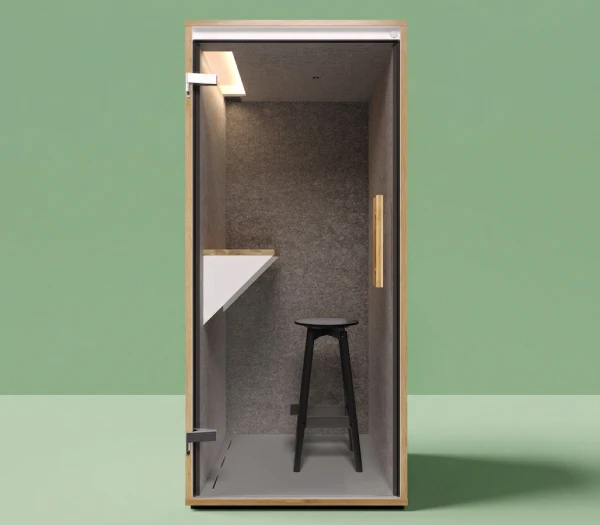
Our phone booths SOLO have changed slightly over the years. That’s why the solutions for this issue vary depending on the generation.
Please enter the serial number of your phone booth below. We’ll then show you how to solve the issue.
You can find the serial number on the door side inside the light slot of the ceiling element. It’s easiest to take a photo with your smartphone, as the number is slightly hidden.
Help for your phone booth SOLO - Option 1
The light in your phone booth SOLO should switch off automatically after 10 minutes at the latest.
If this no longer happens, it is usually due to one of the following causes:
- A piece of furniture or something similar is detected by the sensor as a person
Please remove everything from the booth and check whether this solves the problem.
- The sensor is dusty and can no longer “see” properly
Cleaning should help. The sensor is located roughly in the center of the ceiling of your booth. Look for a small black plastic component. Please clean the sensor carefully with a tissue or another suitable cleaning cloth.
This video shows you exactly how to do it.
Were you able to solve the problem?
Great.
Does the light still stay on?
Together, we’ll definitely find a solution. Please send us a message here including the serial number(?) of your phone booth and a description of the problem.
We’ll get back to you shortly.
Help for your phone booth SOLO - Option 2
The light in your phone booth SOLO should switch off automatically a little while after you leave the booth. If this no longer happens, the issue is usually related to the sensor inside the booth. The following steps should help solve the problem:
- Restart the sensor
Simply unplug the phone booth from the power supply. Wait one minute and then plug it back in. Sometimes this step already solves the issue.
- Clean the sensor
If the sensor becomes dusty or is somehow covered, it can no longer “see” properly. To clean it, look for it in the center of the ceiling of your booth. It is a small white sphere with a black plastic border and basically the only thing you can find on the ceiling. Please clean it carefully with a microfiber cloth or a similar cleaning cloth.
- Check the follow-up time
There is a small slot with a sliding switch on the side of the sensor. You can see it when you pull the sensor about 2–3 cm out of the ceiling. This is where the follow-up time can be set — meaning the time during which the light and ventilation continue running after you leave the booth. The options are 5, 15 or 30 minutes. Maybe the setting is currently too long?
Were you able to solve the problem? Great.
Does the light still stay on?
Together, we’ll definitely find a solution.
Please send us a message here including the serial number(?) of your phone booth and a description of the problem. We’ll get back to you shortly.

.svg)
.svg)
.svg)
Our solutions for your office: